 1Password
 1Password is a top-tier password manager for security and ease of use. However, since the price increase of about 33% in March 2026 (the individual plan went from $35.88 to $47.88 per year), more people have started considering switching or comparing options.
“If it’s going to cost more, I’d like to look at other options.”
That is a natural reaction. In this article, I first lay out 1Password’s specific weaknesses, then introduce recommended alternatives by use case.
For a detailed review of 1Password itself, see our 1Password review.
First: Where Does 1Password Fall Short?

When considering a switch, it helps to understand 1Password’s specific weaknesses first.
1. There Is No Free Plan
Competitors Bitwarden, NordPass, and Proton Pass all offer free plans.
1Password offers only a 14-day trial, which sets a high bar for people who just want to try it out.
2. Pricing Is Higher Than Competitors
After the increase, the individual plan is $47.88 per year. Compared with Bitwarden’s $19.80 per year for comparable features, that is a difference of more than 2x.
3. Masked Email Is a Paid Option
Email masking is included in NordPass and Proton Pass plans, but with 1Password you need the Fastmail integration (from $6 per month, billed separately).
4. No Digital Legacy (Emergency Access) Feature
The individual plan has no “emergency access” feature for passing your accounts on to family or someone you trust. Bitwarden, Dashlane, Keeper, and NordPass all support it.
5. Form Filling Accuracy Is Inconsistent
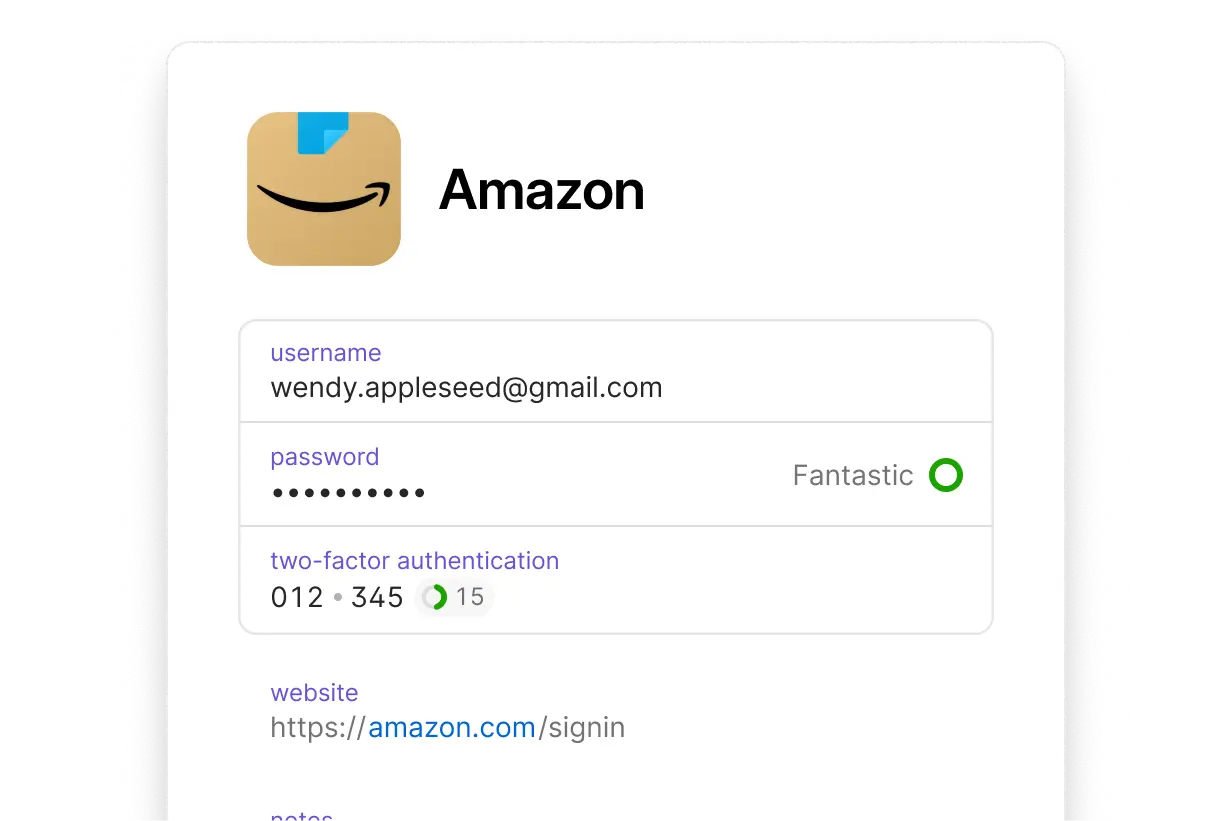
Basic username and password autofill is stable, but there are multiple reports of fields being missed on complex forms such as addresses and expiration dates.
I’ve run into this myself a few times.
6. Support Is Email Only (Individual Plans)
Chat and phone support are available only on business plans. Individual users are limited to email or an AI chatbot.
5 Alternatives
1. Bitwarden | The Pick If Value for Money Comes First

Best for: People who want to keep costs down, and people who care about open source
Bitwarden is the option most often compared with 1Password. Because the source code is public, third parties can verify its security, and its transparency is the best in the industry.
| Item | Details |
|---|---|
| Free plan | Yes (unlimited devices, unlimited passwords) |
| Paid plans | $19.80 per year (individual) / $40 per year (family of 6) |
| Encryption | AES-256-bit |
| Emergency access | Yes (paid plans) |
| Self-hosting | Possible |
Where it beats 1Password
- A permanent free plan
- Even the paid plan costs less than half of 1Password
- You can keep your data on your own server (complete control of your data)
- Transparency through open source
Where it falls short of 1Password
- The UI design is somewhat less polished
- Autofill on mobile can be unreliable in some cases
- Support is mainly by email, and responses are slower
In short: The first choice for people who want to cut costs without compromising security. If you put price ahead of the user experience, it is without doubt the strongest candidate.
2. NordPass | For People Who Want a Balance of Ease of Use and Features

Best for: People who like a simple UI, and people who want to use email masking
A password manager developed by Nord Security, the company behind NordVPN. It uses the “XChaCha20” encryption method, which is newer than AES-256, so it is on par with or better than 1Password in technical security.
| Item | Details |
|---|---|
| Free plan | Yes (unlimited devices, unlimited passwords) |
| Paid plans | From $1.89 per month (individual, billed annually) |
| Encryption | XChaCha20 |
| Emergency access | Yes (paid plans) |
| Email masking | Yes (paid plans) |
Where it beats 1Password
- Email masking is included in the plan
- Emergency access is available
- A simpler UI that is hard to get lost in
- 24-hour live chat support
- A practical free plan
Where it falls short of 1Password
- No feature equivalent to Travel Mode
- Less fine-grained customization, such as custom fields
In short: It makes up for 1Password’s weaknesses (email masking, emergency access, support) while keeping the price down. A realistic option to switch to. And even though it’s a paid plan, starting from $1.80 a month is very reasonable!
3. Proton Pass | For People Who Put Privacy First

Best for: People who want email masking for free, and people with a high awareness of privacy
A password manager from Proton AG of Switzerland (the developer of ProtonMail). Email aliases are available even on the free plan, which is rare in the industry and makes it a strong option on cost as well.
| Item | Details |
|---|---|
| Free plan | Yes (includes 10 email aliases) |
| Paid plans | From $2.49 per month (individual, billed annually) |
| Encryption | AES-256-bit |
| Headquarters | Switzerland (outside the scope of the EU General Data Protection Regulation) |
| Email masking | Available from the free plan |
Where it beats 1Password
- Email masking is free
- Based in Switzerland, with strong privacy protection
- Ecosystem integration with ProtonMail and ProtonVPN
Where it falls short of 1Password
- No feature equivalent to Travel Mode
- Secure link sharing is only on paid plans
- Some say the apps are still maturing
I have used Protonmail for a long time, so this is the one I use now. Proton’s services are generally well regarded.
In short: For people who say “I don’t want to compromise even on the free plan” or “privacy comes first.” If you already use Proton’s ecosystem, the cost of switching is nearly zero.
4. Dashlane | For Business Use and People Who Need Admin Features
Best for: Teams and companies, and people who want a VPN included
Dashlane, used by more than 15 million users, is well regarded for its polished UI and rich security features. A unique strength is that the Premium plan includes a VPN.
| Item | Details |
|---|---|
| Free plan | Yes (limited) |
| Paid plans | From $4.99 per month (individual) |
| Encryption | AES-256-bit |
| VPN | Built into paid plans |
| Emergency access | Yes |
Where it beats 1Password
- Live chat support
- A VPN built into the paid plan
- Extensive dark web monitoring
- Rich reporting features for administrators (suited to team use)
Where it falls short of 1Password
- The individual plan costs more than 1Password
- The free plan is limited to 1 device
In short: It really shines in team and business use rather than personal use. If you also want to subscribe to a VPN, it is worth considering on cost performance too.
5. Keeper | For People Who Want Customization and Fine-Grained Management
Best for: People who want to manage a lot of information besides passwords, and enterprise use
With an intuitive folder structure and flexible custom fields, Keeper is highly rated by users who want to organize and manage large amounts of data.
| Item | Details |
|---|---|
| Free plan | No (30-day trial available) |
| Paid plans | From $1.79 per month (individual, billed annually) |
| Encryption | AES-256-bit |
| Emergency access | Yes |
| Dark web monitoring | Paid option |
Where it beats 1Password
- Flexible data management with custom record types
- Intuitive organization with folders and drag and drop
- A polished mobile app
- A 30-day trial (longer than 1Password’s 14 days)
Where it falls short of 1Password
- No feature equivalent to Travel Mode
- Dark web monitoring is a $20 per year add-on
- Right-click autofill takes more effort
In short: Suited to power users who want to manage large amounts of things like SSH keys, license keys, and financial information, not only passwords.
Comparison Table
| Service | Free plan | Individual paid (monthly, billed annually) | Emergency access | Email masking | Travel Mode |
|---|---|---|---|---|---|
| 1Password | No | From $2.99 | No | Paid add-on | ✅ |
| Bitwarden | Yes | From $1.65 | Yes | No | ❌ |
| NordPass | Yes | From $1.89 | Yes | Yes | ❌ |
| Proton Pass | Yes | From $2.49 | No | Yes (free) | ❌ |
| Dashlane | Yes (limited) | From $4.99 | Yes | No | ❌ |
| Keeper | No | From $1.79 | Yes | No | ❌ |
Which Should You Choose? A Summary by Use Case
Want to cut costs above all → Bitwarden: Its features are not far from 1Password’s, at less than half the price. It is open source and highly transparent.
Want both a simple UI and good value → NordPass: It covers 1Password’s weaknesses (email masking and emergency access) while keeping the price down.
Want to put privacy first → Proton Pass: Its appeal is strong privacy protection from a Swiss base, and email aliases that you can use even on the free plan. It also works well together if you already use Proton tools.
Want to use it with a team or company → Dashlane or Keeper: Business features such as admin tools, audit logs, and reports are rich.
Travel internationally often and can’t give up Travel Mode → Stay with 1Password: At present, 1Password is the only one offering Travel Mode. If you travel a lot for work or leisure, continuing with it is the realistic choice.
Summary
1Password is still a high-quality password manager, but if you want to use it for free, are concerned about the cost after the price increase, or also want email masking and emergency access, the alternatives introduced here are often a better fit.
I recommend trying each service’s free plan or trial to see which one suits your own workflow.
For details on 1Password’s features and pricing, see the review and the pricing guide.
